Showing posts with label "black and white". Show all posts

Friday, October 17, 2014

Weekend in Black and White- 10/17/14: "Rubble"

asks us to post a black and white photo. No spot colors. No sepia. Black and white, only.

On our recent trip to Portland, Maine, we drove on a self-directed lighthouse tour.  The weather was beautiful. We stopped to eat at The Saltwater Grille in South Portland where we could see the city of Portland and the Old Port across Casco Bay.  The Sunset Marina was next to the restaurant, with many expensive-looking boats.

But on the other side of the restaurant, there was a different world. There, dilapidated buildings and piers had transformed into piles of rubble. I'm drawn to those images more than the bright and shiny yachts. And some of them made great black and white shots.


"Rubble"
(click on image for larger view)

Friday, October 10, 2014

Black and White Weekend - 10/10/14: "Arches"

asks us to post a black and white photo. No spot colors. No sepia. Black and white, only.

APOLOGY: Sorry I didn't get back to add comments on many of last week's posts.  I had an emergency medical situation, was in the hospital for a few days and now I'm catching up.   I had already set up automatic posts for several memes up through the next couple of weeks, so I didn't have to create those, but it will take me a few more days to catch up with this week and last week, too.  I'm fine now, just tired.

Another photo from the first floor of the Cathedral of Learning at the University of Pittsburgh.

"Arches"

Friday, October 3, 2014

Black and White Weekend - 10/3/14: "The T"

asks us to post a black and white photo. No spot colors. No sepia. Black and white, only.

See Photoshop tip for black and white photos, below.

"The T'
entrance to The T (Pittsburgh's subway system)
near Gateway Center in the downtown area
Photoshop Tip for changing colored photos to black and white:

This is a trick I learned recently and it has been working well for me.

If you want to change a colored photo to B&W, instead of changing it to gray scale or using the black and white option (under Image> Adjustments in Photoshop) try using Camera Raw.

First, make whatever enhancements you think are necessary to your colored photo. Duplicate that layer.

If you have Photoshop CC, choose Camera Raw from the filter tab.
Near the top-right under the R: G: B:, choose the 4th icon (it looks like 3 horizontal stripes with gradients in them.)
Look at your photo there and make a mental note of where various colors are in the image. You may also have to determine if, for example, a brown or tan color is more reddish, yellowish, or blueish.

Check the box in front of "Convert to Grayscale."
Look at your photo.

Let's just say that you have a green object surrounded by yellow on the colored version, but on the B&W, the value of the grays is so similar that there is not enough contrast between them. You can lighten what was yellow on the colored photo by moving the yellow slider to the right and darken the green by moving the green slider to the left, or vice-versa.

Play around with the sliders until your B&W image looks best to you.
Hit OK.

If you think the overall image still needs more contrast, you can use the contrast slider in Camera Raw, or use Levels (under Image>Adjustments) to increase both the lights and darks. Another option is to use Shadows/Highlights (also under Image>Adjustments) to increase the contrast of mid-tones.

For a comparison of this method to the normal method:
Hide the B&W layer your just created. Go back to your colored layer and duplicate it again. Then go to Image> Adjustment> Black and white to change it to B&W. (I leave the scales on the default settings.)
Now turn on the layer you created in Camera Raw. Then hide it to compare to the other method. For some images, the second method might be better, but I find I have more control using Camera Raw, especially when I need to show varied shades of gray when areas that are side-by-side look too similar.

NOTE: On a colored photo, you can lighten, darken or saturate an individual color in Camera Raw using the same tab without converting it to gray scale.

Friday, September 26, 2014

Black and White Weekend - 9/26/14: "Quaking Aspens"

asks us to post a black and white photo. No spot colors. No sepia. Black and white, only.

I just spent several weeks in Portland, Maine.  I took over 1500 photos of the city, the harbor, charming old houses (most built in the 1800's)  You can find some of those (more will be added in the future) and many of my other images on my Flickr page.  View my entire photostream or click on "albums" to the right of my profile image to view a specific set of images. 
There is an album titled "Maine."  The one called "Black and White" contains images that may have been posted for this meme ---or may be posted in the future. 
Click on any individual photo, then scroll down a little to find more info about that image.


"Quaking Aspens"
along a hiking trail on Mt. Humphrey
Flagstaff, Arizona


At 7,000 feet in elevation, with mountains that rise to 12,000 feet,
Flagstaff 's cool, high environment is conducive to aspen propagation.
The aspen is a deciduous tree native to cooler areas of North America. Their leaves seem to quiver in the wind. Some of the names used to refer to this tree are: quaking aspen, trembling aspen, American aspen, quakies, mountain or golden aspen, trembling poplar, and white poplar. 

The trees have tall trunks, up to 25 m (82 ft) tall, with smooth pale bark, scarred with black. Leaves become golden to yellow in autumn. The aspen usually propagates through its roots to form large groves in which individual trees are all clones of each other and share the same root system. Because all the clones in one grove are the same sex, seeds rarely 
sprout.


Beginning in 1996, scientists noticed an increase in dead or dying aspen trees. As this accelerated in 2004, word spread and a debate over causes began. No insect, disease, or environmental condition is yet specifically identified as a cause. Trees adjacent to one another are often stricken or not. In some instances, entire groves have died.

The Quaking Aspen is the most widely distributed tree in North America, being found from Canada to central Mexico, at cool, high elevations.


Wednesday, September 3, 2014

Abstract Photo, Good Fences, Wkend in B&W - Sept 3-6: "Wrought Iron"

NF Photography Abstract Photo prompt alternates with a Digital Art creation every other Wednesday

Good Fences asks us to post fence photos each Thursday.

Weekend in Black and White is a prompt to post a black and white photo each weekend.


SIMPLICITY:
Simple can be unsophisticated, but it can also be elegant. It is usually basic, straightforward and uncomplicated.

My original photo is simply a small section of wrought iron fence and the shadow it casts on a sidewalk.

ABSTRACT ART attempts to achieve an aesthetic effect with lines, shapes, colors, and textures without depicting objects as they really are. It may be representational  or nonrepresentational. It can be simple or complicated.

My abstraction was created by taking parts of my black and white photo, rotating, scaling, overlapping, and coloring them. The abstract is much more COMPLICATED than the original photo.  It is not as straightforward, but it is more interesting visually.  

Some people prefer one over the other, but simple and complicated both have their merits. 


I'm taking a 2-week break.
I hope to have a bunch of new photos by the time I return the week of Sept 21st.


"Wrought Iron"
original black and white photo
taken at North Park, Allegheny County, PA
"Wrought Iron"
abstraction created from the photo above

Friday, August 29, 2014

Black and White Weekend - 8/29/14: "Train"

asks us to post a black and white photo. No spot colors. No sepia. Black and white, only.

See my photostream on Flickr: http://www.flickr.com/photos/cj_proartz
Below my name, click on albums to find a particular type of photo (Black and White, Landscape, Still Life, Autumn Scenes, Bridges, Animals, Art Created from My Photos, etc.)

"Train"
Antique locomotive, Pioneer Museum
Flagstaff, Arizona

Friday, August 22, 2014

Black and White Weekend - 8/22/14: "The Shed"

asks us to post a black and white photo. No spot colors. No sepia. Black and white, only.


"The Shed"
I love going out on foggy mornings to
drive on back roads and take photos.
I found this only a few miles from my home.

Friday, August 15, 2014

Weekend in Black and White & Abstract Photo - 8/15-8/20/14: "WINDOWS"

The Weekend in Black and White asks us to post a black and white photo each weekend ---no sepia, no spot color, just black and white.
During the last few weeks, I've posted photos of the Cathedral of Learning at the University of Pittsburgh for this meme. Today I'm hopping over to the Carnegie Library of Pittsburgh, just a few minutes walk away.

NF Photography posts an Abstract Photo prompt and alternates it with a Digital Art prompt every other Wednesday. This week is Abstract Photo.

My abstract image was created digitally from one of my photos, so it is both an Abstract Photo and Digital Art.

SCROLL DOWN to see a tip for replacing colors in Photoshop (near the bottom of this post.)

Find links to three free online photo-editing sites.

Also find tips for saving photos in various versions.
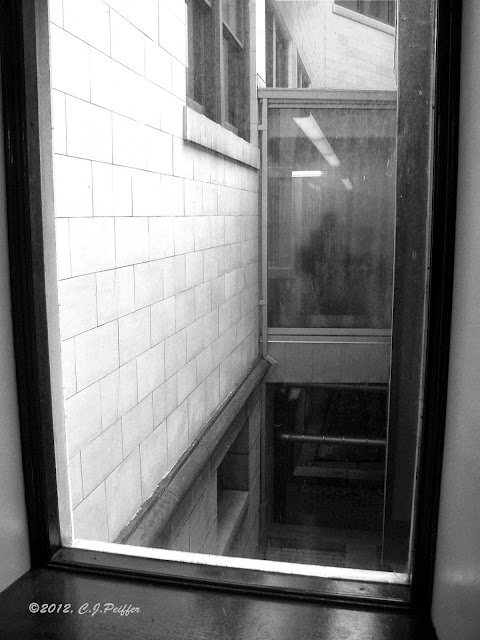

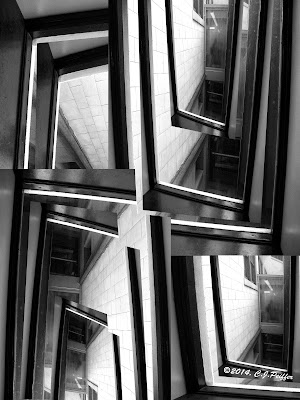
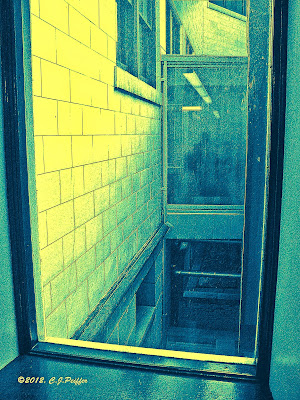
"Library Windows"
This photo was taken from the stacks in the main
branch of the Carnegie Library of Pittsburgh.
Looking through the window, I could see other windows
in other parts of the library.  Including the one I was
shooting the photo through, I count parts of ten
different windows.  I thought it made for an interesting
abstract design in and of itself, but then I used this
photo to create another abstract (below.)
"Distorted Windows"
(black & white version)
I copied the above photo several
times, then I rotated and scaled
each image to fill the space.
Then I copied each image once or
twice, making each smaller to
fit over the image under it.
"Distorted Windows"
(colored and enhanced)
I upped the shadows/highlights in the medium range so the
stone blocks on the side of the building would be more
apparent. I then used bas relief to add texture and depth.

I chose the very darkest areas , then filled them
with red on a new layer. I made the red transparent so
there was a hint of red in the  black areas. 

I chose medium tones & filled them with a warm tan on a
new layer in color mode and did the same for the lightest
areas with yellow orange.

Color mode doesn't work well with black or white,
so the lightest areas remained white and I had to use
a transparent normal mode (in red) over the black
rather than a color mode layer.
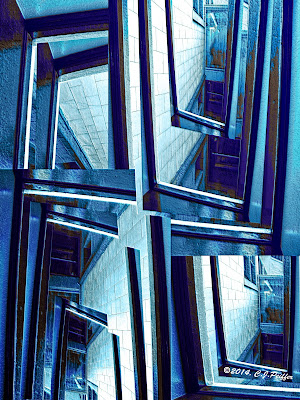
"Distorted Windows"
(blue version)
When you have your various
colors on different layers, it's
easy to replace them with
other colors. (See instructions.)

Scroll down for more versions.


PHOTOSHOP TIP - REPLACING COLORS 
There are several ways to replace colors in Photoshop.

First I made this version.  When I wanted to change colors to make different versions, I did this:

In this case, because I made separate layers for the red, tan and yellow orange, it was easy to do it this way:

 I went to the red layer and hit control and A (command and A on a Mac.)  That selected everything in that layer, but I only wanted to select the red parts, so I hit the up arrow once to select only the red, but that also nudged the red up a notch, so I hit the down arrow once to put it back into its original place.


I filled the selected areas with a royal blue on that same layer to replace the red.
An easy short cut for filling a selected area is to hold the shift key and hit F5. (Make sure you have already selected the color you want.)

I did the same for my tan and yellow-orange layers.

It took less than a minute to create a new color scheme using three shades of blue.

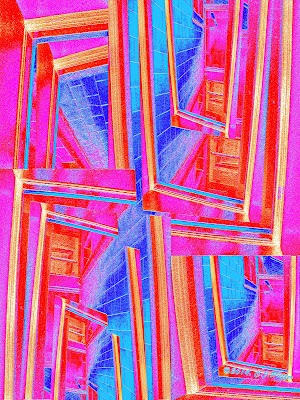
FREE ONLINE PHOTO-EDITING SITES:
I wanted to see what I could do on several free online photo editing sites.  I tried Fotor, PicMonkey and Pixlr.  I liked Pixlr best because many of its actions have names similar to the ones I am familiar with on Photoshop.  With a click of the mouse (or 2 or 3) I was able to create the images below. I used my original photo for one and the design I created from it for the other two.

If you don't already have or use photo-editing software, you may want to try all three to decide which one you like best. It is possible that there are actions you can do on one site that aren't available on the others, so you might want to use all three for different effects.

I suggest trying the three I mention above. (Some have basic free actions and then you have to pay if you want to use more sophisticated tools.)  Or search for other free online software.

Note: if you save your image on Pixlr, it saves to the Pixlr site. If you click the X in the upper right, it asks if you want to save your image before exiting and then you can choose a title and location to save it to your computer.

SEE IMAGES CREATED WITH PIXLR BELOW.

SAVING SEVERAL VERSIONS OF THE SAME PHOTO:
When saving any version of your original photo, keep the photo number in the title.  I don't use the letters that identify the camera in my title (such as DSCF or DSCN.) Because I have had several cameras over the years, it's possible that two different photos will include the same number, but I can easily determine which is the correct one.

Today I was searching for a photo I knew I had enhanced, but couldn't find it because I couldn't remember the title I gave it.  So, I found the original, told my computer to find the number of that photo (the one the camera assigned) and discovered I had mistakenly placed the enhanced one in the wrong folder months ago.

For the photos in this post, I titled my original photo "LibraryWindows" but the abstract version is "Distorted Windows."  These are some of the titles I used:
DSCF4108.jpg (original photo) I always keep a copy in case I want to start over.
LibraryWindows4108.psd (enhanced photo in photoshop)
LibraryWindowsBW4108.psd (black and white version)
DistortedWindowsAbstract4108.psd
DistortedWindowsAbstractBlue4108.psd
Notice the one constant is the photo's number, 4108.

Besides the psd (Photoshop) versions, I always save a jpg version of each.
I recently began to save a second jpg in a smaller size ---big enough to see online, but too small for anyone to copy and make a good print. The word Blog at the end indicates it is the size for blog posts. (DistortedWindowsAbstract4108Blog.jpg)

That way, it is ready to post online sometime in the future when I won't have to create a special jpg version because it is already done.
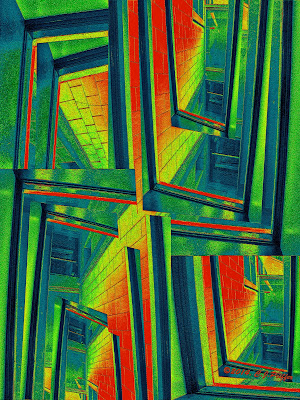

Experimenting at pixlr.com

Friday, August 8, 2014

Black and White Weekend: - 8/8/14: "Facade"

asks us to post a black and white photo. No spot colors. No sepia. Black and white, only.

Here's a view of the outside of the Cathedral of Learning at the University of Pittsburgh.  There are about 2000 windows in the 42-story building.

Less than a century ago, this kind of building was possible. Today, the labor to build this, plus the materials (the outside and the first floor used Indiana marble) would make a building like this so expensive, even the multi-billionaires of the world would not spend the money to build it, even in a third-world country where labor is cheap.

"Facade"
of the Cathedral of Learning at the
University of Pittsburgh 
(click on image to see a larger view and more detail)

Friday, August 1, 2014

Black and White Weekend - 8/1/14: "Quatrefoil"

asks us to post a black and white photo. No spot colors. No sepia. Black and white, only.

Last week I posted a photo from Pittsburgh's Cathedral of Learning. I love taking photos there because there are so many interesting shapes and shadows. It has the feel of a gothic cathedral or castle. Since I have so many images from there, I decided to post another one.

"Quatrefoil"
the first floor of the University of Pittsburgh's
Cathedral of Learning.

Friday, July 25, 2014

Black and White Weekend - 7/25/14: "Symmetry"

asks us to post a black and white photo. No spot colors. No sepia. Black and white, only.

The Cathedral of Learning at the University of Pittsburgh, may be the only Gothic-style skyscraper in the world, rising to 42 stories of classrooms and administrative offices.

The first floor, with its high vaulted arches and columns resembles a cathedral. When construction began in the 1920's, Pittsburgh was still basically a mill town. Even though I've lived in this area most of my life, it still amazes me that one can find something this beautiful in Pittsburgh.

As I looked through the photos I have taken there, I found dozens I could have posted.  But there are more weekends to come, so you'll probably be seeing additional images from the Cathedral of Learning.


"Symmetry"
(Note: My photo is NOT a double photo creating a mirror image. This entire photo is what came out of my camera with some cropping to center it and a little contrast adjustment.)

I rather like the idea that an educational building is called the "Cathedral of Learning" because I am devoted to learning.

I was a teacher of English (as a foreign language) in Brazil and an art teacher in public schools in the U.S. for more than 30 years. In addition, I have taught art and writing courses at community colleges, conducted creativity workshops for Western PA Mensa, and have done presentations on Mark Twain and his writing.

I have always been an avid reader and enjoy watching documentaries. I rarely listen to music because I'd rather be learning from an audio book or listening to NPR. (For me, the idea of being able to "read" an audio book while doing something else is downright glorious.)

I have reached the age when I can take free classes (for seniors) at my local community college, although I'm not pursuing another degree. I enroll in one class per semester in a subject that I think will interest me ---and nearly everything does.  I completed an Adobe Illustrator course and others in speech, art history, literature, and digital photography (that wasn't very good, so I plan to take it again with a different instructor.) I plan on taking classes in poetry writing, criminal justice, history, philosophy, graphic design, biology, geography, and more.

If I worship at any cathedral, it is a Cathedral of Learning.

Friday, July 18, 2014

Black and White Weekend - 7/18/14: Conrail Bridge

asks us to post a black and white photo. No spot colors. No sepia. Black and white, only.

Railroad bridge across the Allegheny River
Pittsburgh, PA

Friday, July 11, 2014

Weekend in Black & White - 7/11/14: "Fogged Out"

asks us to post a black and white photo. No spot colors. No sepia. Black and white, only.

"Fogged Out"
I went to a hot-air balloon festival, but no morning launches
were possible due to fog.  So, I took photos of the lonely
carnival equipment, instead. 

Saturday, July 5, 2014

Black & White Weekend - 7/5/14: Alcoa Corporate Center

The Weekend in Black and White asks us to post a black & white photo, no spot colors, no sepia, black & white only.


1953 Alcoa Buiding
The old Alcoa Building (1953) in Pittsburgh was a rectangular 31-story skyscraper with windows that were reminiscent of rectangular portholes.  It was designed as a showpiece for the use of aluminum as a building material. Aluminum was used for the skin of the building and for utilities. Because of its light weight, substantial savings were made on the steel frame. This building is now known as the Regional Enterprise Tower.

Architects: Harrison and Abramovitz, one of the most famous architecture firms in the U.S. at mid-century, was responsible for many buildings in Pittsburgh (including the USX Tower and Four Gateway Center).


Alcoa Corporate Center
Pittsburgh, PA 
In 1998, Alcoa moved its corporate center from Downtown Pittsburgh to the North Shore of the Allegheny River. It's aluminum and glass facade reflects the city across the Allegheny River in its wave-like structure. Instead of hundreds of private offices, the interior has an open structure to encourage discussions and collaboration.

This photo was taken from one of the many bridges that spans the Allegheny River. On the right is an ivy-covered bridge abutment.

Architects:
Exterior - Rusli Associates
Interior - The Design Alliance, which was also contracted to renovate the interior of the 1953 building.

Addendum 7/13/14:
My photo of the Alcoa Corporate Center was chosen as one of six featured photos for last week by The Weekend in Black and White meme.

Saturday, June 28, 2014

Weekend in Black and White - 6/28/14: "Reap What You Sew"


The Weekend in Black and White asks us to post a totally black and white photo "for monochrome maniacs."

Today I am posting a still life. I had to do a still life for a digital photo class, so I just started to grab things that I had around the house that seemed like they went well together.  I ended up with about 30 different compositions with fruit, china, ceramics, flowers, tools, game pieces, utensils, and whatever else I had available. A few look as good in black and white as they do in color. This is one of those.

The composition includes lots of triangular (or nearly triangular) shapes and that is what holds the composition together.  The seam ripper and the tape measure form a triangle. The spools of thread form a triangle. And even the small patch of open space in the upper right is a triangle.  Those, along with other diagonal lines pull it all into a unified whole. 

One other thing that helps with composition is that there are an odd number of each item, with one, three or five. Our minds tend to count even numbers, but dismiss odd numbers, so we ignore the number of items and just accept what is there for what they are. Of course, in many situations, we can't control how many items are in our photos, but when setting up a still life, we can. In situations where we cannot control how many items are in a photo, we may be able to zoom in or crop out what we don't want.


"Reap What You Sew"

Saturday, June 21, 2014

Weekend in Black and White - 6/20/14: "1938 Big Block Chevy"

This is my first entry to Weekend in Black and White.
Click on the link above to join in or see what others have posted.


"1938 Big Block Chevy"
My husband got me interested in classic and vintage
automobiles.  I don't care about their engine size or other
technology.  I just like them visually. I enjoy the ones that
have been restored to their former glory, like this one,
but I also like ancient rusty heaps that remind me of
old, well-worn faces.

I took this at a car cruise,
 September 2012, Butler, PA